 Free Chrome Extension
TrackMailBox
Free Email Tracking for Gmail
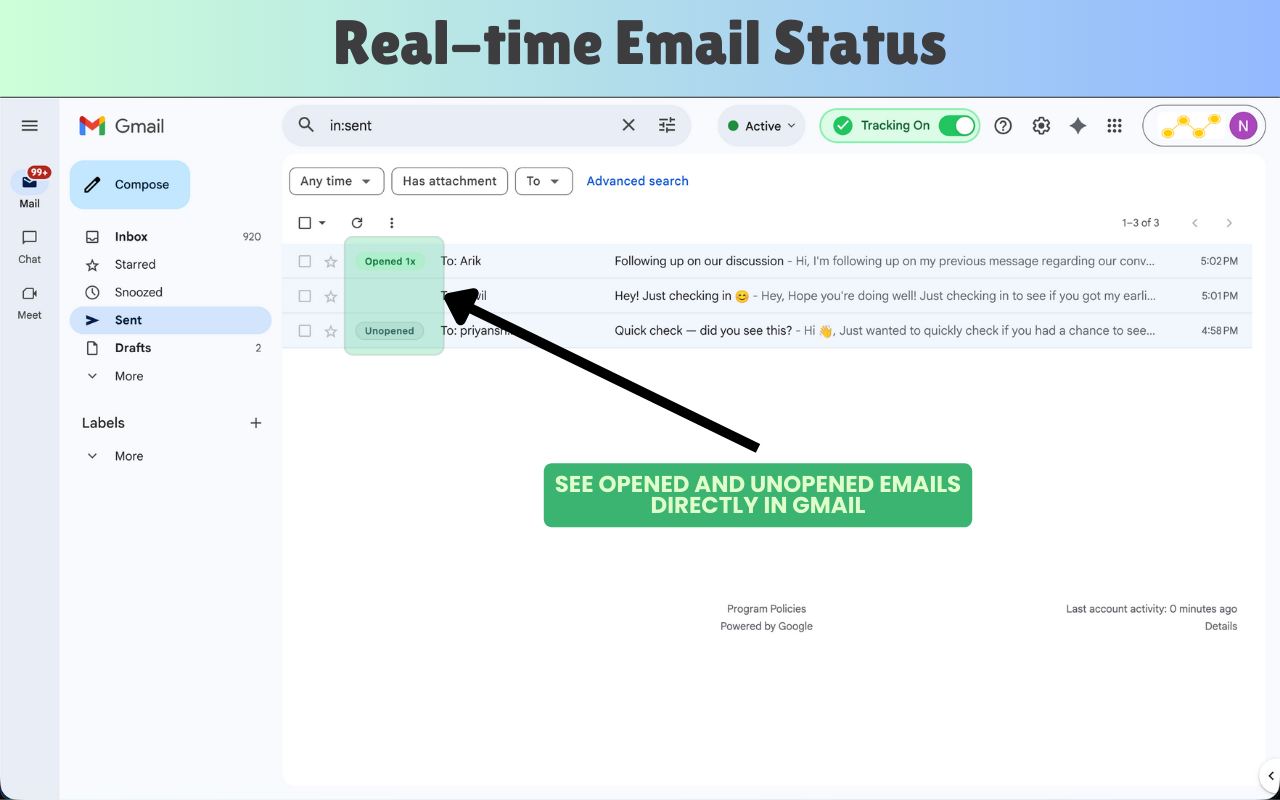
TrackMailBox is a free Chrome extension for Gmail that gives you real-time visibility into your email engagement. Using an invisible tracking pixel, it notifies you the moment a recipient opens your email or clicks a link, without adding any footer, signature, or watermark to your messages. Built for sales professionals, recruiters, freelancers, and anyone who needs to know when their emails land.
Visit TrackMailBoxScreenshots
See TrackMailBox in action.
Features
Everything TrackMailBox does for you, out of the box.
Email Open Tracking
Get notified instantly when a recipient opens your email, including the timestamp and approximate location.
Link Click Tracking
See exactly which links inside your emails were clicked and when, so you know what resonates.
Invisible Tracking Pixel
Tracking is completely hidden. No signatures, banners, or branding are added to your outgoing emails.
Real-Time Notifications
Receive instant browser notifications the moment your email is opened or a link is clicked.
100% Free, No Limits
Track as many emails as you like. No premium tier, no monthly cap, no credit card required.
Native Gmail Integration
Works seamlessly inside Gmail. No new email client or complicated setup needed.
Who is it for?
Common use cases across different roles and workflows.
Sales & Follow-Ups
Know when a prospect opens your proposal so you can follow up at exactly the right moment.
Recruiting
Track when candidates read your outreach emails, so you can prioritise warm leads.
Freelancers & Consultants
Confirm clients have read your briefs, contracts, or invoices without awkward follow-up messages.
Email Deliverability Testing
Validate that emails land in the inbox (not spam) by checking whether your own test opens are tracked.
Frequently Asked Questions
Common questions about TrackMailBox
Is TrackMailBox really free?
Yes, TrackMailBox is completely free with no hidden costs, premium tiers, or usage limits.
Which email clients does it support?
TrackMailBox is a Chrome extension built specifically for Gmail. It works directly inside your existing Gmail account.
Will recipients know they are being tracked?
No. TrackMailBox uses an invisible tracking pixel that does not add any visible element, signature, or footer to your outgoing emails.
How do I get started?
Install the TrackMailBox extension from the Chrome Web Store, grant it access to Gmail, and you're ready to track. No account setup required.
Is my email data private?
TrackMailBox is designed with privacy in mind. Your email content is never stored or processed by TrackMailBox servers. Only open and click events are recorded.